Custom Mockup Generator

Kittl vs Canva Mockups

Both make artwork and both make mockups, so on paper they overlap almost entirely. In practice they suit different people, and the deciding factor is usually not the mockups at all.

How Kittl and Canva Mockups actually differ

Kittl is a design tool with an opinion. It is built around typography, vintage styling and print-on-demand, and the editor is noticeably stronger than Canva's for that kind of work. Mockups are there to present the finished piece.

Canva is a general purpose design tool that happens to include mockups, and since it absorbed Smartmockups it inherited a large and well liked scene library. It is free, it runs everywhere, and most people already have it open.

The real split is pricing model and depth. Kittl meters AI in tokens, 200 one off on Free, 2,000 a month on Pro at $15, 6,000 on Expert at $30. Canva's mockups are available on the free plan. So Kittl asks you to pay for a better editor, and Canva asks you to accept a more general one for nothing.

At a glance

ToolWhat it isStarting priceReusable listing setText & logo in mockup
Kittldesign platformFreeNoYes, by hand
Canva Mockupsdesign platformFreeNoYes, by hand

Cheapest published tier at the time we checked. Some tools price by region, so see each card for the currency and date.

Which one suits you

Kittl

Pick Kittl if the artwork is the hard part. Type led work, vintage and retro styling, badge and lockup design: it is meaningfully better at all of it, and the template library is aimed squarely at people selling merch rather than at everyone on earth.

Canva Mockups

Pick Canva if you already work there, if budget is the constraint, or if mockups are an occasional job rather than a daily one. The scene library is broad, the price is nothing, and the learning curve is already behind you.

Both, in depth

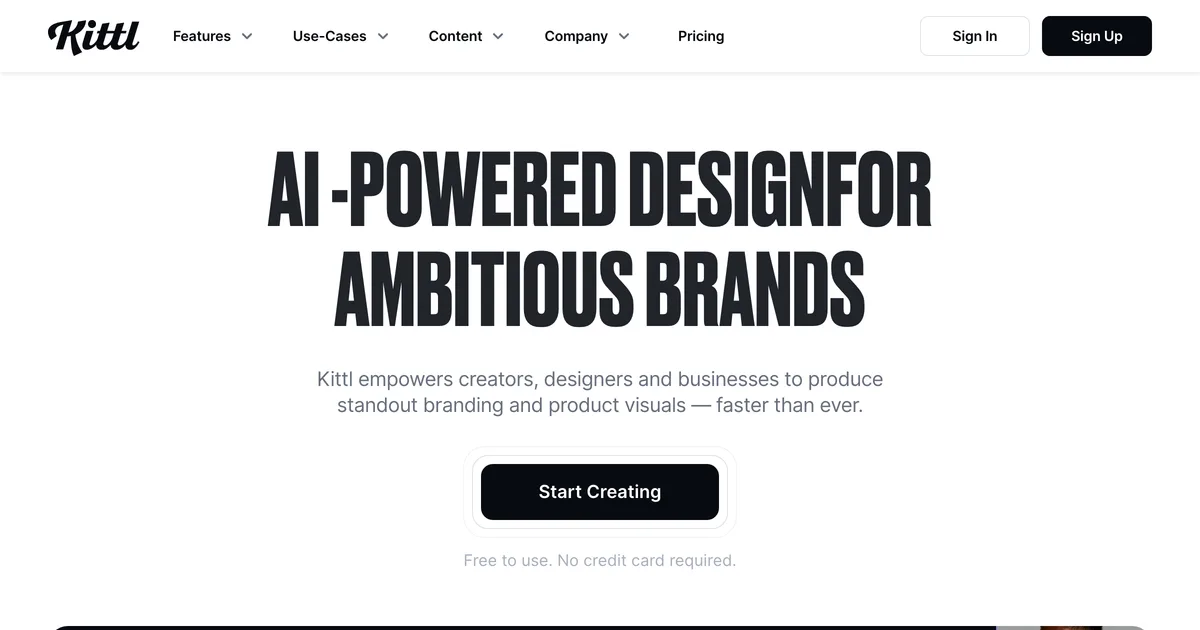
Kittl homepage hero promoting AI-powered design for brands

Kittl

An AI first design platform with a genuinely lovely type and vintage editor, plus mockups for showing the finished thing off.

Where it wins
  • A properly good design editor. If you are making the artwork as well as presenting it, Kittl does both without switching tabs.
  • Very strong on typography and vintage work, which is most of print on demand if we are honest.
  • A big template, font and graphic library comes with the paid tiers.
Where it stops
  • Mockups are a presentation feature inside a design tool, not a listing set you can rerun.
  • AI runs on tokens, so a busy month either costs more or stops early.
Pricing
  • FreeFree5 projects, 200 AI tokens, one time
  • Pro$15/moUnlimited projects, 2,000 AI tokens a month, 10GB
  • Expert$30/mo6,000 AI tokens a month, 100M+ assets, 100GB

Checked 2026-08-03. Monthly billing. Kittl advertises up to 33% off annually, and prices in your local currency, so what you see may differ.

Choose this if

Designers who want to make the artwork and present it in one place, especially type heavy work, and who are not regenerating the same set for every new product.

Canva Mockups

Canva's mockup feature, and now the home of Smartmockups too, bolted onto a full design editor.

Where it wins
  • Free, and already open in a tab on most sellers' screens. No newer tool gets to claim that.
  • A full design editor, so text, layout and branding go exactly where you want them.
  • It absorbed Smartmockups, so it inherited a big and well liked scene library.
Where it stops
  • Every listing image is assembled by hand. Nothing regenerates when you add a product.
  • Consistency depends on you remembering the exact position, size and crop you used last time. Good luck.
Pricing
  • FreeFreeMockups on the free plan

Checked 2026-08-03. Paid tier pricing not captured yet.

Choose this if

Anyone already designing in Canva who lists rarely enough that rebuilding each image by hand has not started to hurt yet.

A third option, and yes, it is ours

One thing neither solves: both build listing images one at a time. If your images carry a product title, a size chart or your logo, you rebuild all of that by hand for every new product. That is the job we do. You set the images up once as a flow, and each new design comes back as the finished set with the text and logo already placed, and the scene shifted to suit the artwork. It is a different tool for a different bottleneck, and it sits happily alongside either of these.

Frequently asked questions

Is Kittl better than Canva for mockups?

For presenting a finished design, they are close, and Canva's scene library is arguably broader since it took on Smartmockups. Kittl wins on making the artwork, especially anything type led. If mockups alone are the question, Canva is free and good enough.

Is Canva Mockups the same as Smartmockups?

Effectively yes. smartmockups.com now redirects to Canva's mockups page, and much of the scene library carried across. If you used Smartmockups before, Canva is where it went.

How much does each one cost?

Canva offers mockups on its free plan. Kittl is $0 on Free, $15 a month on Pro and $30 a month on Expert as of 3 August 2026, with up to 33% off annually and AI metered in tokens. Kittl prices in local currency, so your figures may differ.

Can I use both?

Plenty of people do. Kittl for the artwork because the editor is better, Canva for the odd mockup or social crop because it is free and already open.

Other tools people compare

Rebuilding the same listing images every time?

Set your set up once and let each new design run through it.

See how the flow works